![sendify-helpcenter-logo-white-2.svg]](https://help.sendify.com/hubfs/sendify-helpcenter-logo-white-2.svg)
Great that you want to get started with an integration against Prosmart, you can read more about it on Prosmart's website here.
Follow the steps below to get started with your integration with Prosmart.
- Go to "Settings" in the sidebar
- Click on “API Integration”.
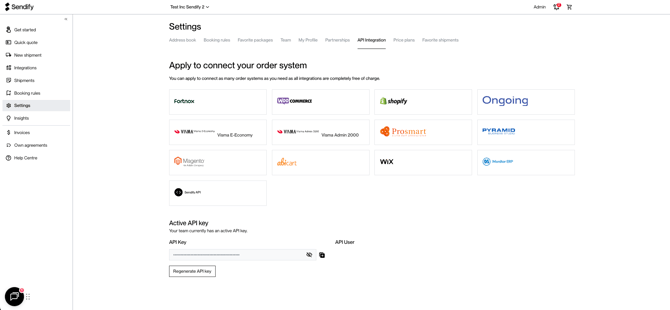
- Scroll to the bottom of the page --> Select one of your users and click on “Get API key”.
- Copy the API key and send it to Prosmart’s Support Team (info@prosmart.se or to the consultant you have during the implementation of Prosmart).
Prosmart will set up the connection for you and contact you once it is done.
Done!
If you have any problems or questions related to the integration or if you miss any functionality? Contact prosmart directly at support@prosmart.se and they will help you further.
Did we not answer all your questions?
Drop us a message in the chat and we will help you! 🌟