![sendify-helpcenter-logo-white-2.svg]](https://help.sendify.com/hubfs/sendify-helpcenter-logo-white-2.svg)
Available on plus- & pro price plans
How to get started
Log in to Sendify and go to "Own Agreements" in the menu, select DHL Express and click "Add" and follow the instructions.How to find your details on your contract
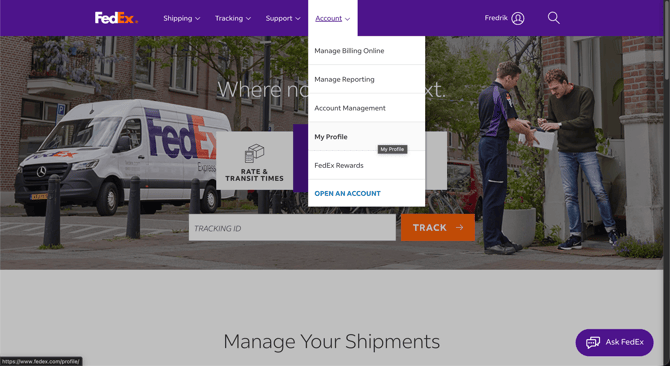
1) Login on FedEx, click on "Account" > "My Profile" > "Accounts & Payments"
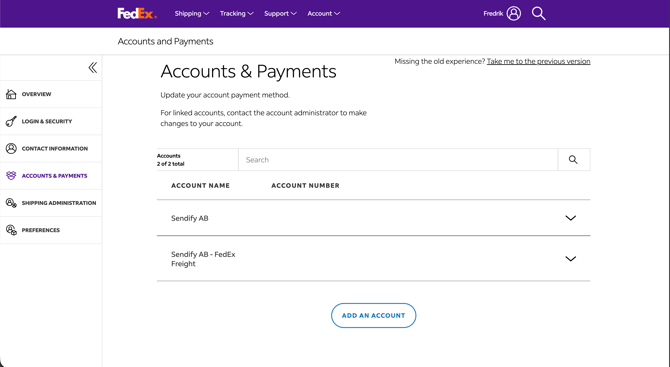
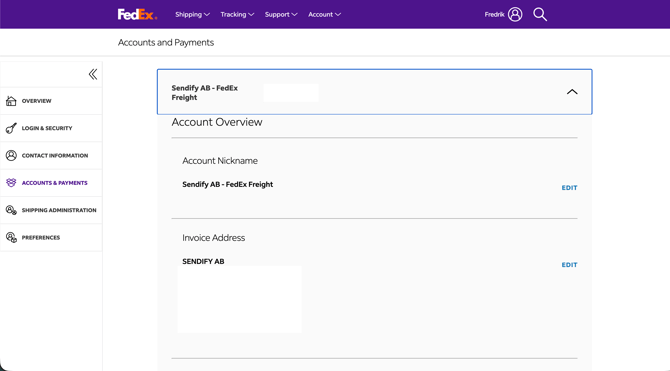
2) Open the account overview and there you will find: Account number and invoice address, this is the address that you should exactly input in Sendify, FedEx will validate against this address down to upper- and lowercase letters.
How you verify your account
When all agreement details are verified you need to validate with FedEx that this is your account, that you do through a chosen method;
- With the methods; E-mail, SMS or Phone a 6-number code is sent from FedEx to the phone number or email that is registered with the account.
- And with the method Invoice you are filling in information from an invoice from FedEx
Done! You can now go in and book on your own agreement with FedEx